Bible People and Family Trees in the Scripture Study Bible
Who was Ruth's great-grandson? Which Zechariah is the prophet, and which is the son of Jehoiada who was stoned in the court of the house of the LORD? How was Abner related to King Saul?
The People feature covers every person named in scripture. Each person has their life events, their family, their tribe or nation, and the verses that mention them. You can browse them as a list or as a family tree, and see the people named in each verse as you read.
Opening the People list
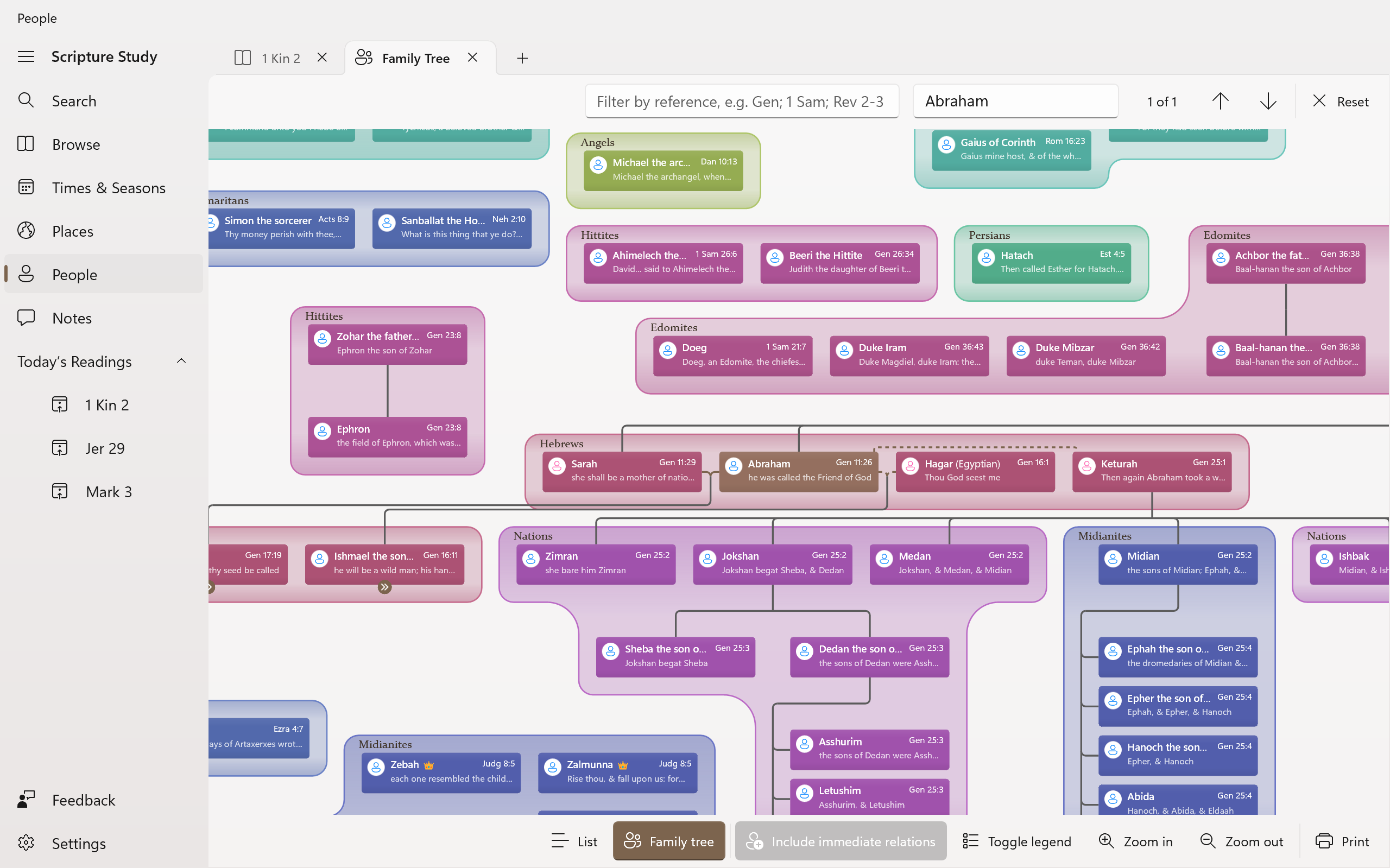
Click or tap People in the navigation pane on the left. The People page opens on a list of everyone named in the Bible, with their relationships and the references that mention them.
Use the Filter by name or Strong's number box at the top of the page to find a person. Many people share a name, so you'll often see several entries. Each one has a short description to help you tell them apart.
To list only the people mentioned in part of the Bible, type a reference range in the Filter by reference box, for example Ruth or 1 Sam 16-31. You can enter several ranges at once, separated by semicolons, such as Gen; 1 Sam; Rev 2-3.
Details about a person
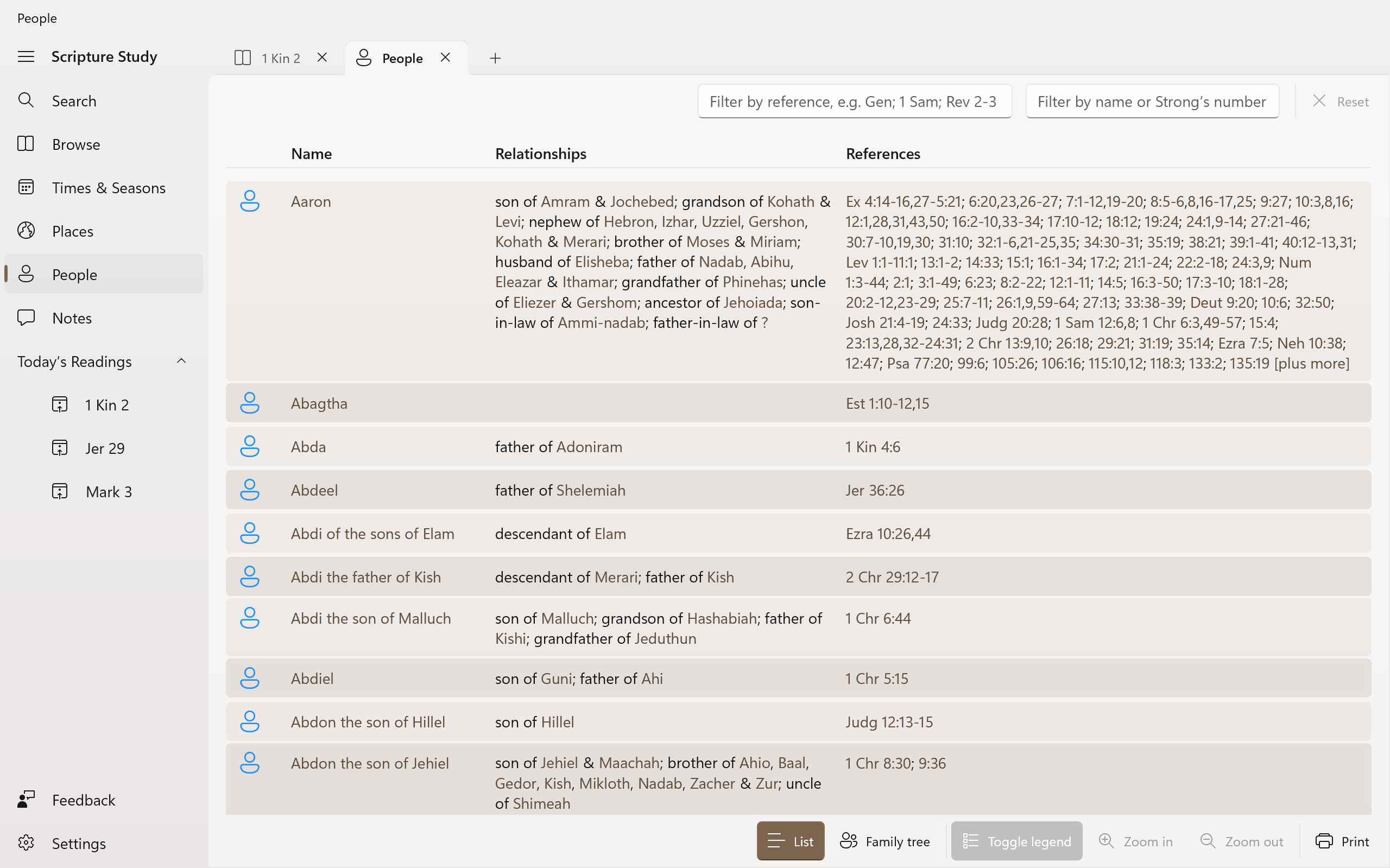
Click or tap a person's name to open their details. These show:
- the tribe, nation or group they belonged to;
- notes about them (available for around half of the people so far, with more coming in app updates);
- the Strong's numbers for their name in the original Hebrew or Greek;
- their relationships, such as parents, husband or wife, children and brothers, each with the verse that tells us;
- the events of their life, each with its reference;
- links to more information on external websites.
A crown next to the name marks a king or queen. A yellow circle marks an Aaronic high priest.
From the details, click or tap Find in tree to see the person in the family tree. If you think something is wrong, click or tap Suggest a correction to send us a message.
Hold Ctrl while clicking a name to open the person in a new tab, or hold Shift to open them in a new window.
Exploring the family tree
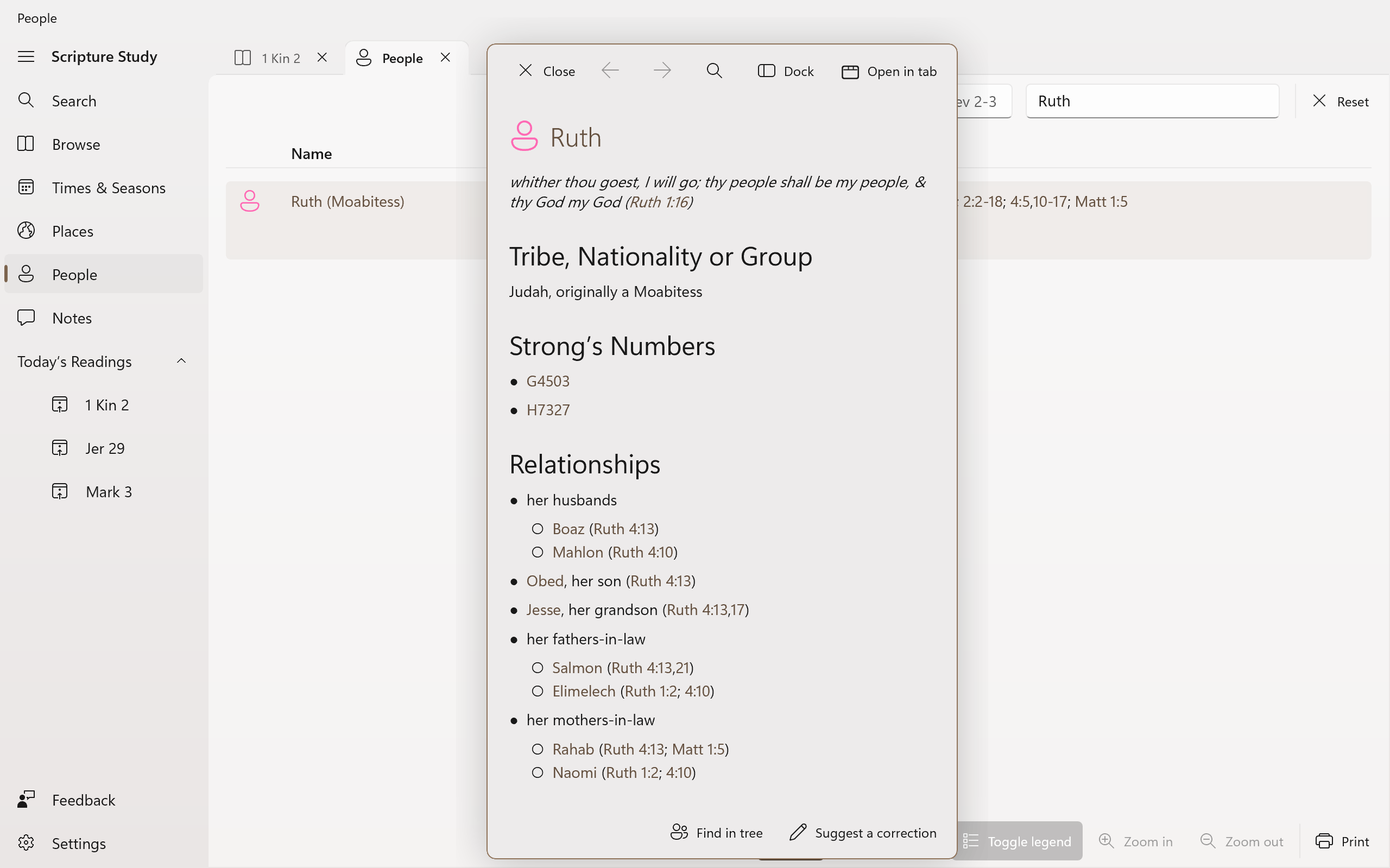
Click or tap the Family tree command at the bottom of the People page. The tree shows every family in the Bible on one large canvas. Drag to move around it, and use the Zoom in and Zoom out commands (or your touchscreen, mouse wheel or touchpad) to change its size. The tree shows each person's name and a short description. Click or tap a person to open their details.
People of the same tribe or nation are grouped inside a coloured, labelled outline. The legend explains the symbols and lines:
- lines join parents to their children, dotted where the parent is uncertain;
- lines in your accent colour join husbands and wives, dashed for a concubine or other union;
- dashed lines also show adopted children, and descendants where the Bible doesn't tell us how many generations passed between them;
- some large families continue in a tree of their own, such as the families of Jacob's sons. These people appear twice, and a mark next to each appearance takes you to the other.
Click or tap Toggle legend to hide or show the legend.
To find someone in the tree, type their name in the Find by name box. The tree moves to the first match. Use the Find previous and Find next buttons to step through everyone with that name.
Families in a passage
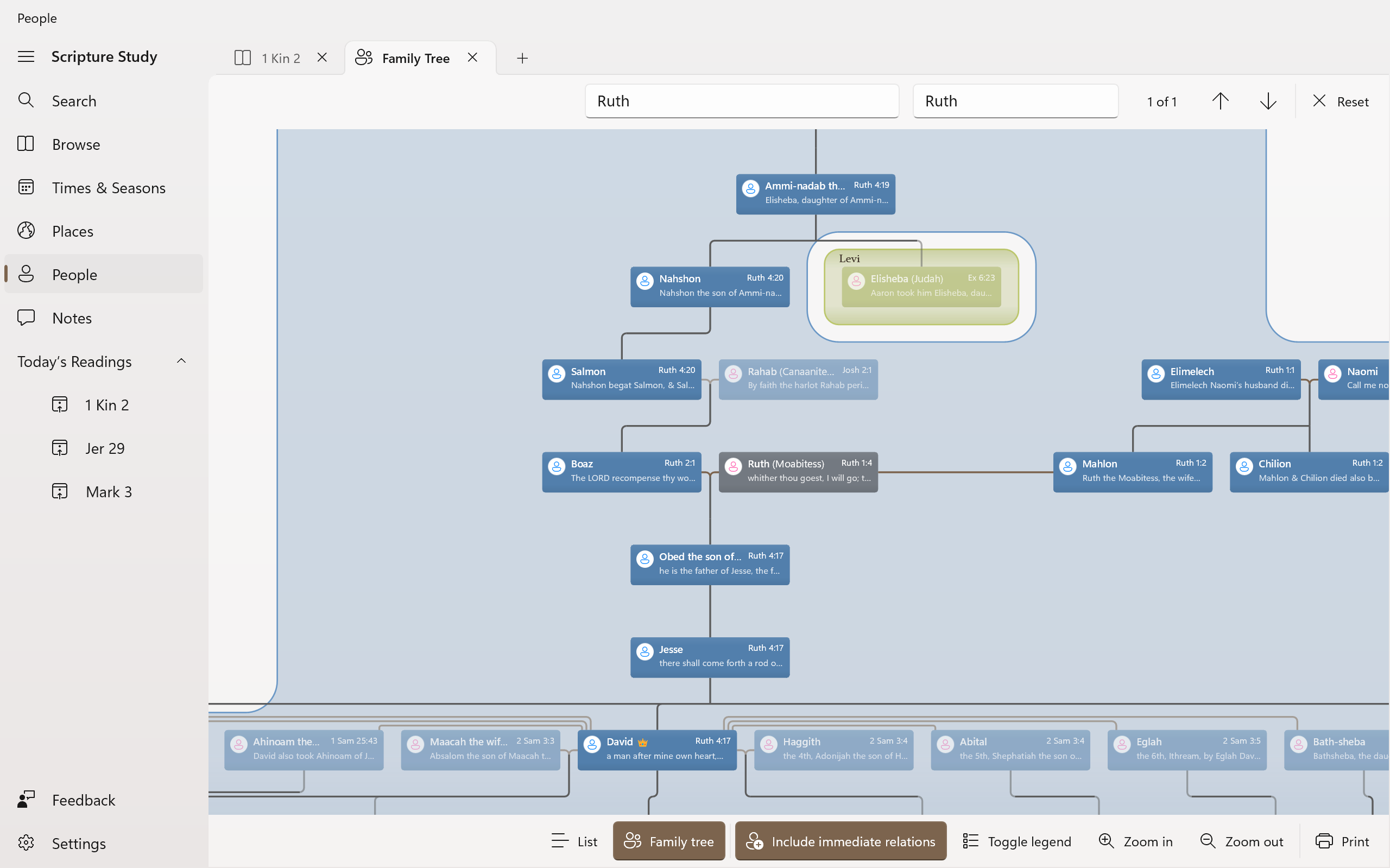
The tree's Filter by reference box works just like the list's. Type a reference range to show only the people mentioned in that range. With Include immediate relations turned on, the tree also shows their parents, children, husbands and wives, faded, so each person still appears within their family.
Here's the family tree filtered to the book of Ruth, showing Ruth and Boaz with their son Obed and grandson Jesse.
People notes in the reading view
As you read, the app can show the people named in each verse alongside the verses. Click or tap a name to see the person's details without leaving the chapter. Click or tap All families in chapter to open the family tree, filtered to the people in that chapter.
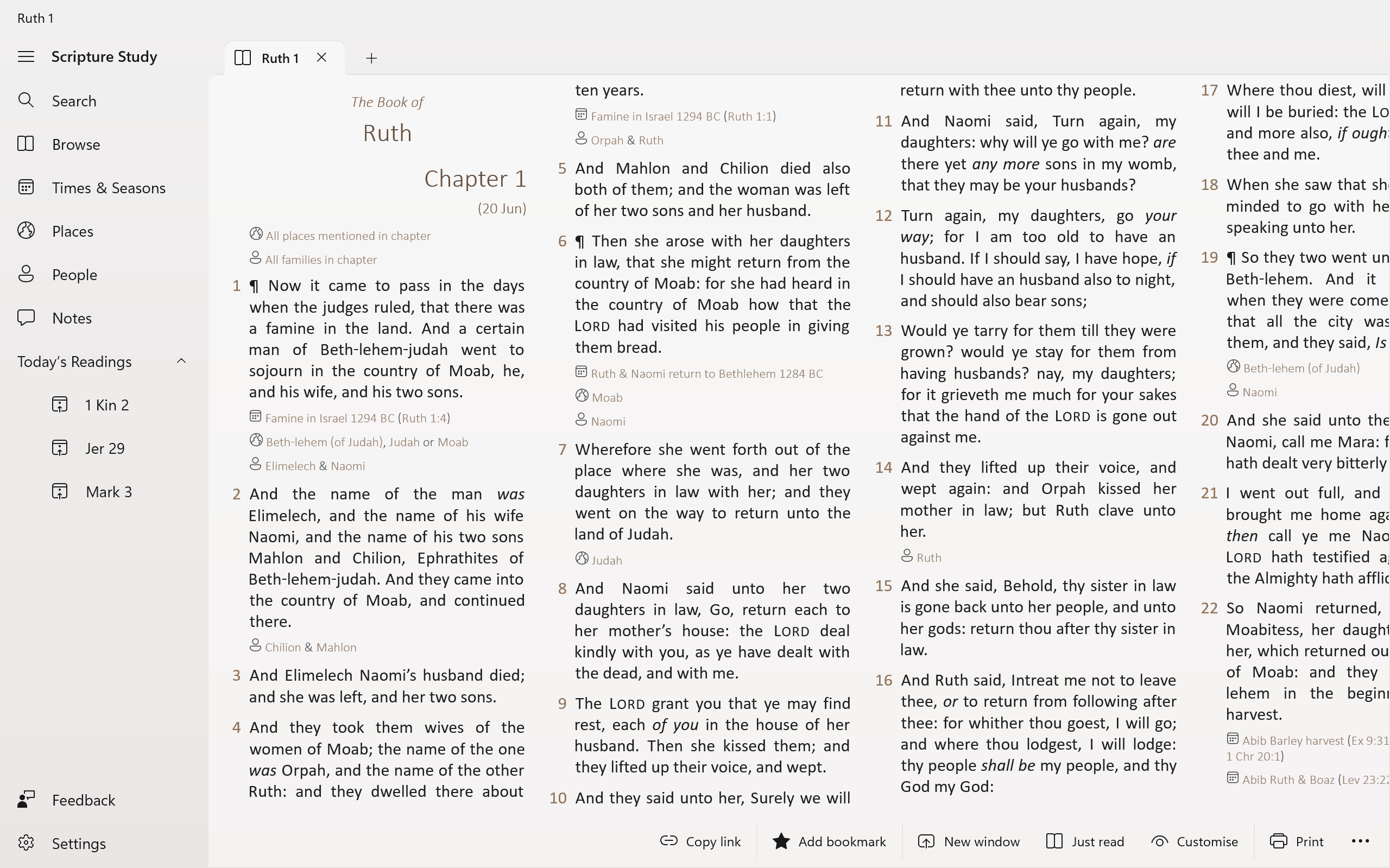
To choose what these notes show, open Settings and find Notes about People:
Nohides the notes;Yes (just name)lists the people named in each verse;Yes (with related people)also lists each person's relations, such as their father or their wife.
Data completeness
Like the timeline and the map, we carefully research and check the information about people. We add notes and corrections in each automatic app update. If you spot a mistake, please use the Suggest a correction command on that person's details.
Move on to the next feature
Navigate back to the features list or back to the homepage overview