Interactive Bible Map Features of the Scripture Study Bible
Why did the men of Jabesh Gilead risk their lives to recover Saul's body from the Philistines in 1 Samuel 31? Follow a link from the chapter to see a list of all events at Jabesh Gilead. From that list, we find that Saul had saved the city from an Ammonite invasion in 1 Samuel 11.
Use the interactive map to find this and many more facts and Scriptural co-incidences.
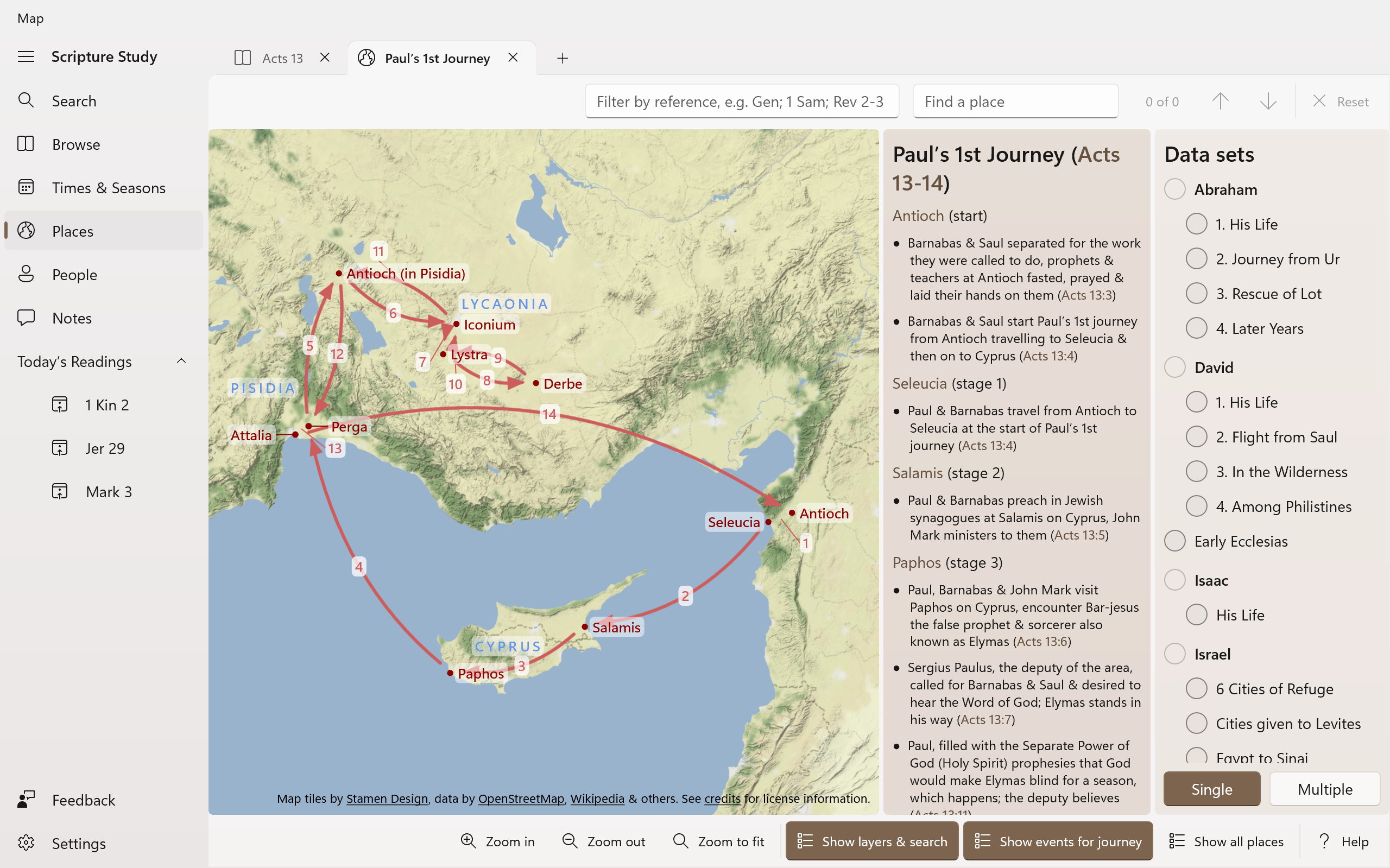
The map requires a working internet connection to download images as there are too many to store on typical devices.
Bible Maps by Chapter
At the start of every Bible chapter containing place names, there's a link that will open a map showing all of the places mentioned in that chapter.
Filtering and finding
The map can be overwhelming at first with so many locations. If the boxes at the top of the map and the list of data sets on the right aren't showing, click/tap Show layers & search at the bottom of the map.
If you're researching a range of verses, chapters or even books, you can reduce the amount of information displayed on the map to focus just on that range. To do this, type your range in the Filter by reference box at the top of the map, for example Gen; 1 Sam; Rev 2-3. The map updates as you type, and shows the data sets with places in that range.
To find a place, type its name in the Find a place box. The map moves to the first matching place and keeps all the other data visible, and the count beside the box shows how many places match, for example 1 of 3. Press Enter or F3, or click/tap the down arrow, to move to the next match; Shift+Enter, Shift+F3 or the up arrow move back to the previous one. You can type just a few characters to find all places containing that combination of letters. The find looks within the reference range that you've entered, or within the whole Bible if you haven't entered any reference range.
Click/tap the Reset button, or press Escape, to clear both boxes and show all data on the map again.
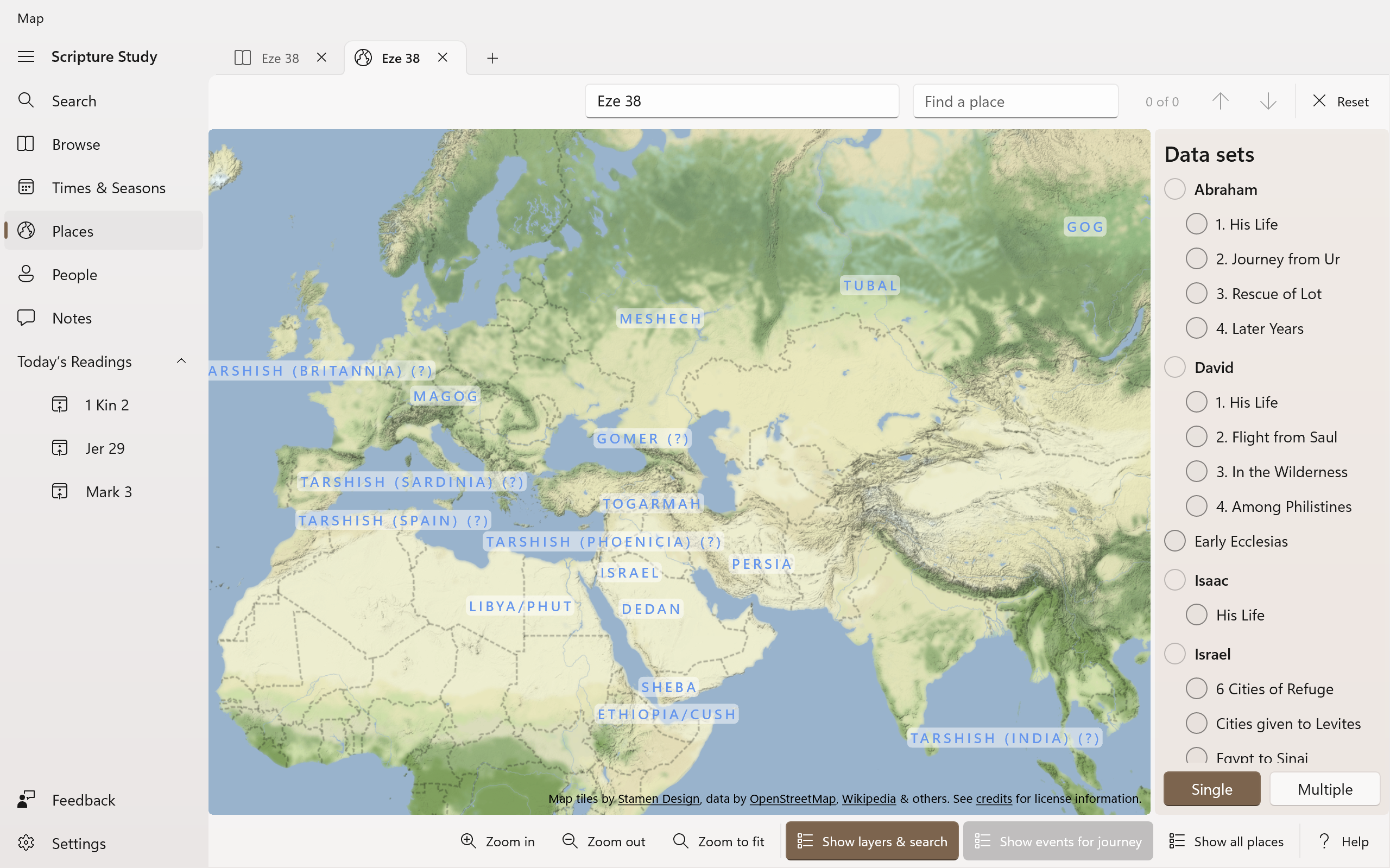
Here's an example showing the map filtered to Ezekiel chapter 38, with the nations mentioned there.
Using sets of locations
Choose the sets of locations to show from the Data sets list on the right. With Single selected below the list, you choose one set at a time. Select Multiple to tick and untick as many sets as you like; ticking a heading such as David ticks every set under it. Many places are in more than one set, for example Jerusalem is in both Israel & Judah and His Life under Jesus, so Jerusalem will show on the map if either of these is ticked. Click a place to see the sets it is part of.
Data completeness
Like the chronological data on the timeline, the location data on the map is carefully researched and curated. This means we are adding more data each month in each automatic app update. If there is a particular chapter or set of places you would urgently like us to add, please use the Feedback option in the app to send us a request.
Map imagery
We're very grateful to Stamen Design for permitting use of their map tile images. These are licensed under the terms of the Creative Commons BY 3.0 licence. Some data is provided by OpenStreetMap and are licensed under ODbL.