Bible Study Features
When the truth of the Bible message is understood correctly, the same core message is taught consistently on many, many levels with a near-infinite number of types, shadows and parallels. This consistency across thousands of years of writing, in a depth and complexity beyond man's accomplishment, is one seal declaring that the author of the Bible is divine.
The study tools mentioned on this page aim to help you slowly uncover more types, shadows and parallels as you read the Bible. You can then use the note-taking and bible-marking features described elsewhere to record your findings.
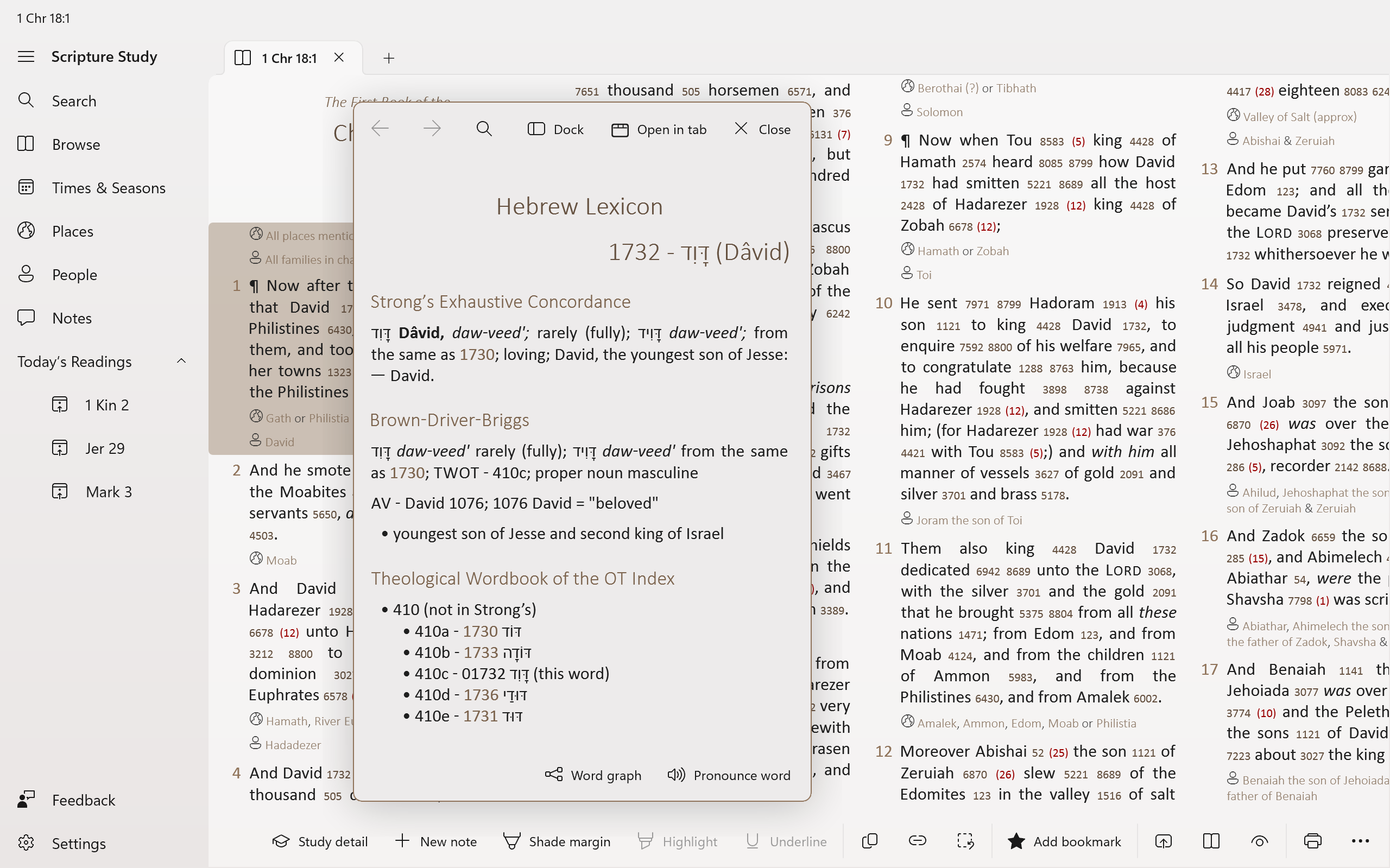
Turn on Strong's Numbers next to words from the Authorised Version of the Bible, or from the World English Bible, the Revised Version or the Louis Segond (1910), and click a number to see the definition.
Turn these on permanently for all passages by changing the app's Settings, or quickly turn them on temporarily just for the open passage you're reading.
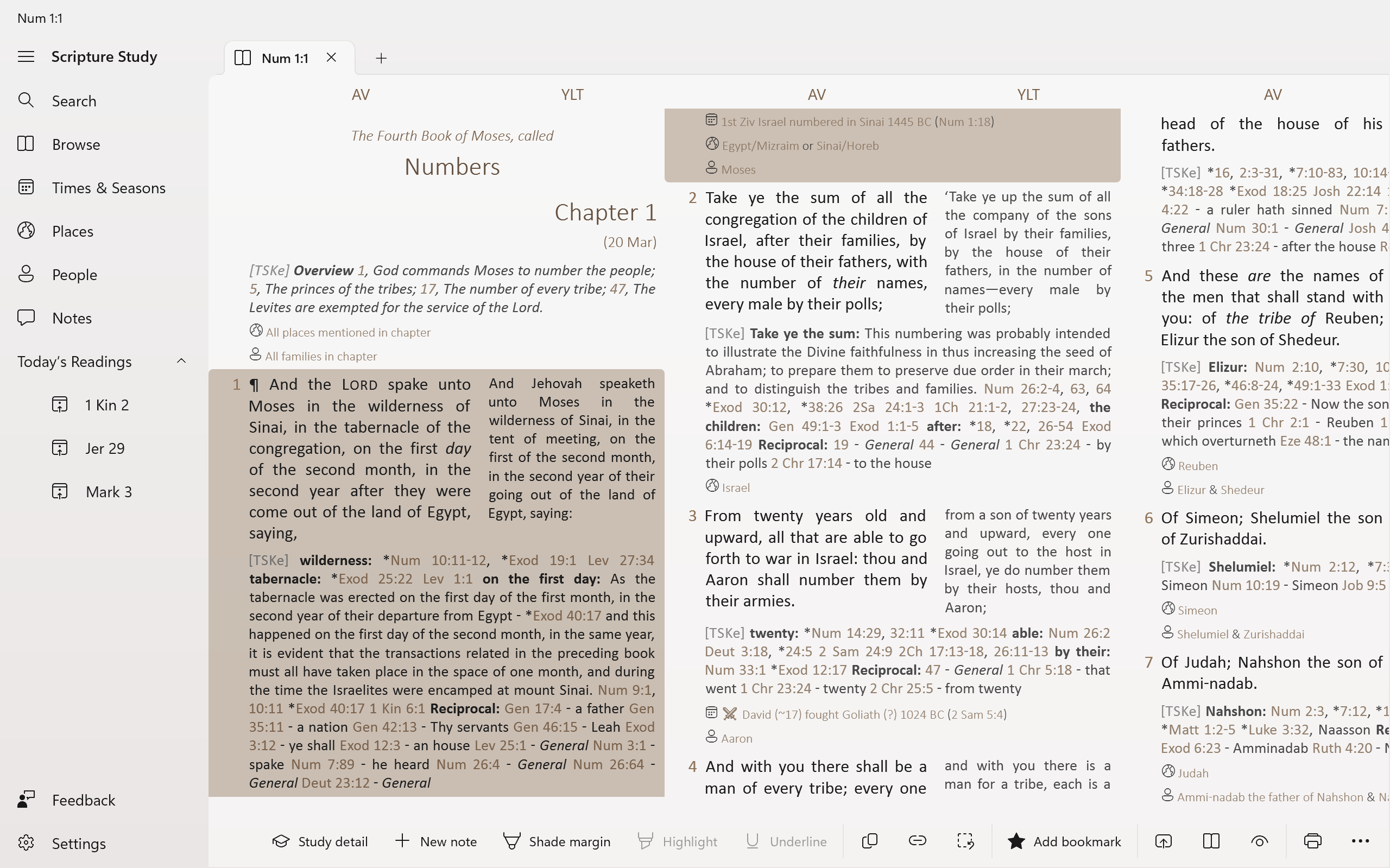
Turn on additional versions to show next to your primary version (the Authorised Version, unless you choose another in Settings) as extra columns or rows as you prefer. Turn on notes from the Treasury of Scripture Knowledge to see a list of cross-references.
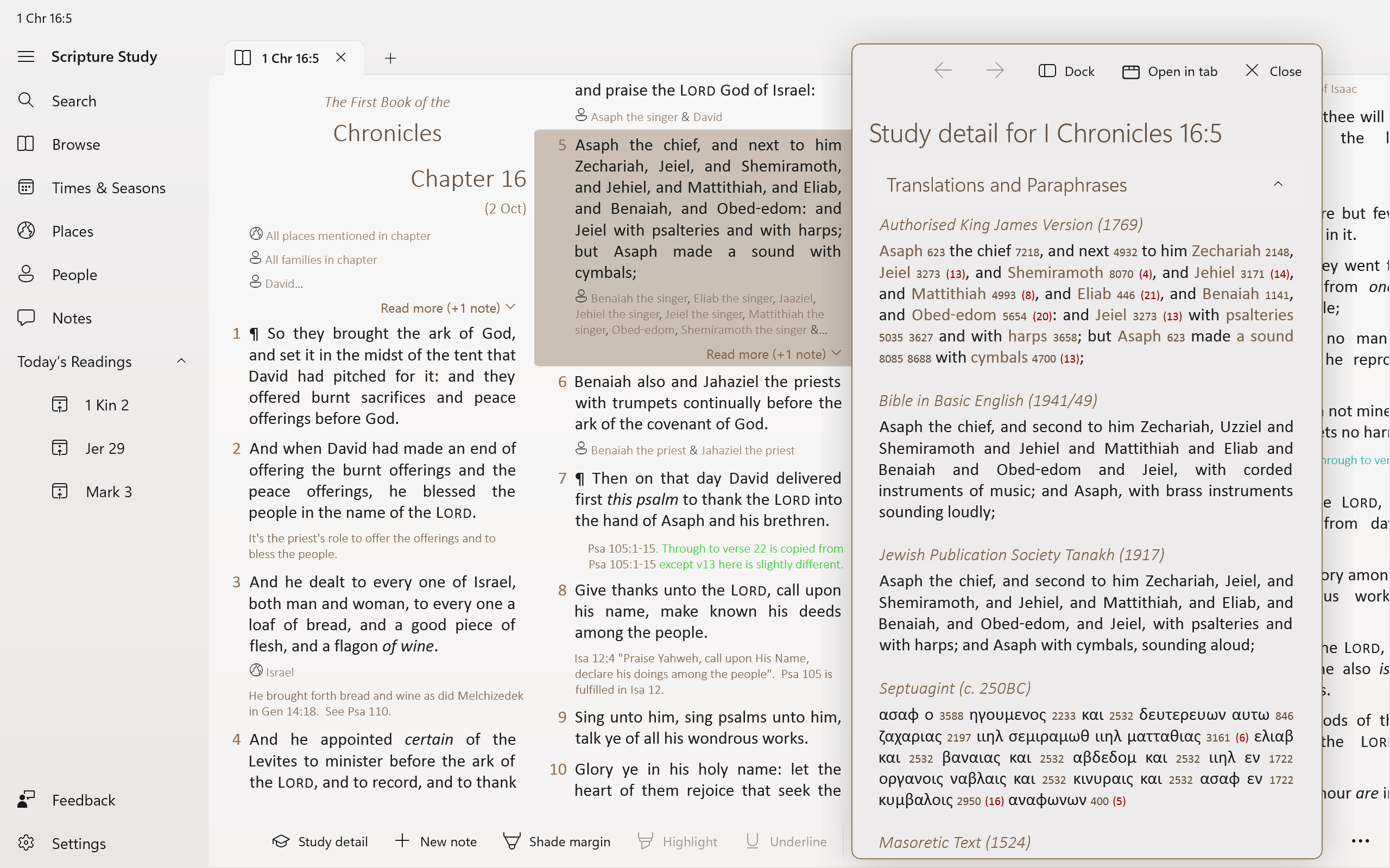
Leave just your primary version enabled for easy reading, but select a verse and click "Study detail" to pop-up more detail.
The extra detail for a verse includes Strong's Numbers, several additional translations, Hitchcock's Dictionary of Bible Names for any recognised names in the verse, and any chronological entries mentioned in the verse or occurring the same day.
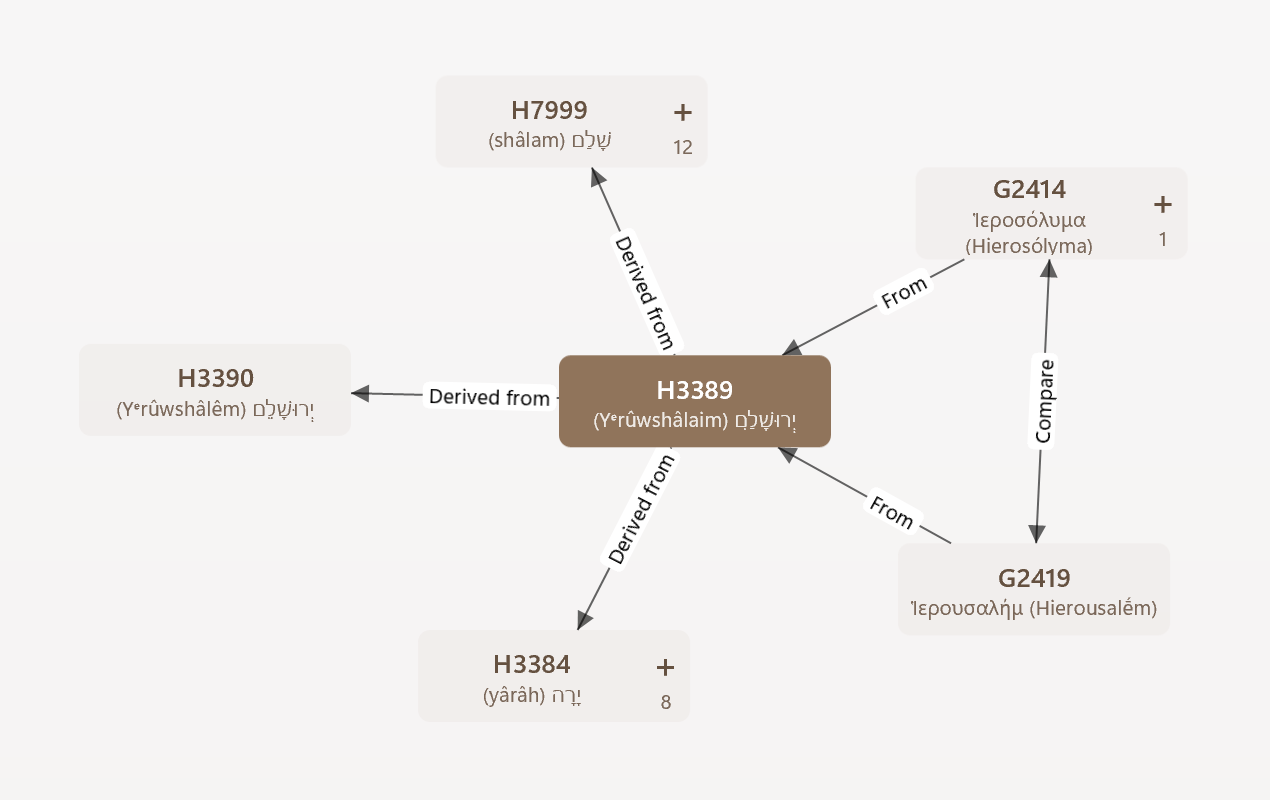
Click "Word graph" beside a Strong's definition to see how the word is related to other Hebrew and Greek words. The graph of Jerusalem (H3389) shows the Hebrew words it comes from, its Aramaic form in the books of Ezra and Daniel, and the Greek words for Jerusalem in the New Testament.
Click any word in the graph to read its definition, or click the + beside it to bring the words related to it into the graph too; the number beneath the + says how many more there are. Ctrl+click "Word graph" to open the graph in a tab of its own, with room to explore it.
Other Bible Study Features
- How to Copy Multiple Verses and Paragraphs to the Clipboard
- How to Search for Words and Phrases
- Translations, Paraphrases, Lexicons and Commentaries